Select a note template
Choose General Note, Psychology Note or a modality template to suit the work you do with a client.
2 mins read
Note templates shape the structure and focus of your session notes. Choose a format that suits the work you did with the client and the kind of record you need.
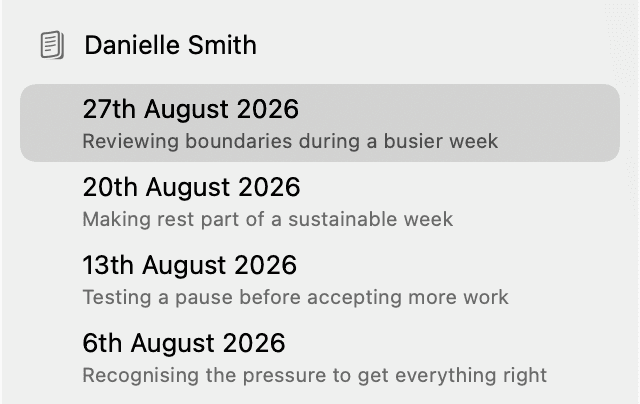
1. Open a client session
Select a client and session in the sidebar. You can choose a template before recording, or use a completed session to create another Note.
2. Open the template menu
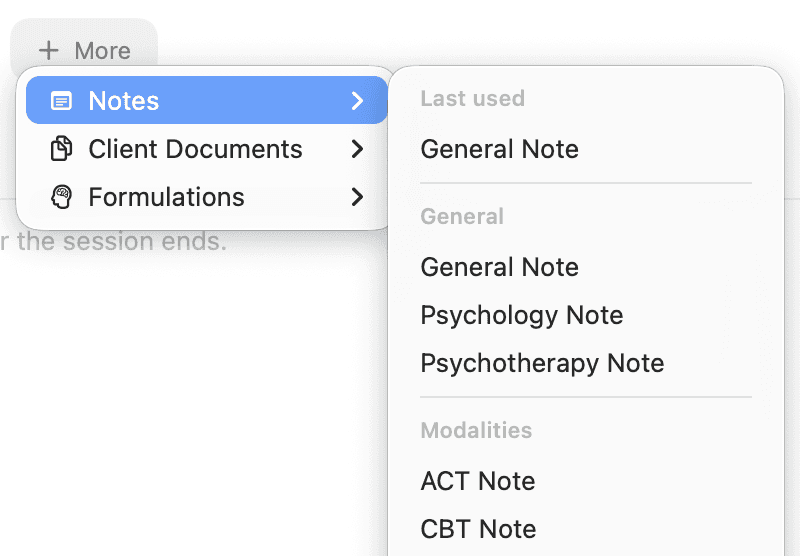
Click More beside the session tabs, then open Notes.
3. Choose the template that fits your session
Click the template you want to use. For example:
General Note is the default general format when you do not need a particular type of note or a specific therapeutic modality.
Psychology Note offers a broader psychological focus, covering areas such as psychological functioning, assessment and formulation.
A modality template, such as CBT Note or ACT Note, is useful when you used that approach with the client and want the Note organised around it.
New templates are being added to AirNote, so check the menu for more options.
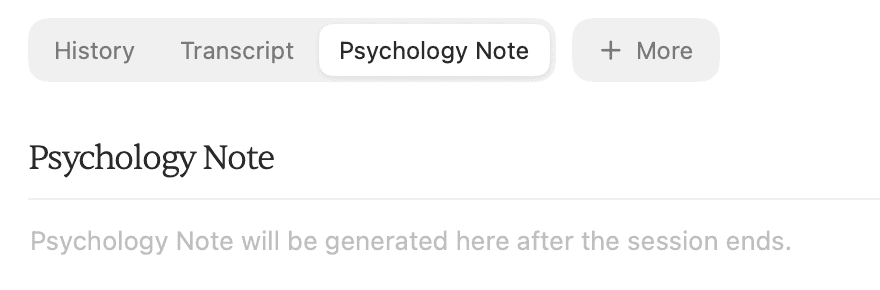
Before recording, your choice sets the session’s Note template. For a completed session, AirNote generates an additional Note in its own tab, keeping the existing Note.
AirNote remembers the last template you selected and uses it for new sessions.
All people and session content shown in these screenshots are fictitious.