Refer to a client anonymously in Notes
Use “the client” instead of a name in generated therapy Notes, and learn how to update an existing Note.
2 mins read
Keep a client’s name out of your generated therapy Notes by using “the client” instead. This is useful when you want less identifying wording in the Note text, while keeping the session linked to the correct client in AirNote.
This setting changes how Notes refer to the client. It is not a full anonymisation tool.
1. Open Settings
Click Settings next to your name at the bottom-left of AirNote.
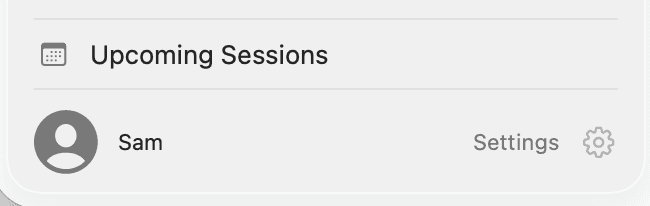
2. Find Note Preferences
Select General in the Settings sidebar. Find the Note Preferences section below Client History.
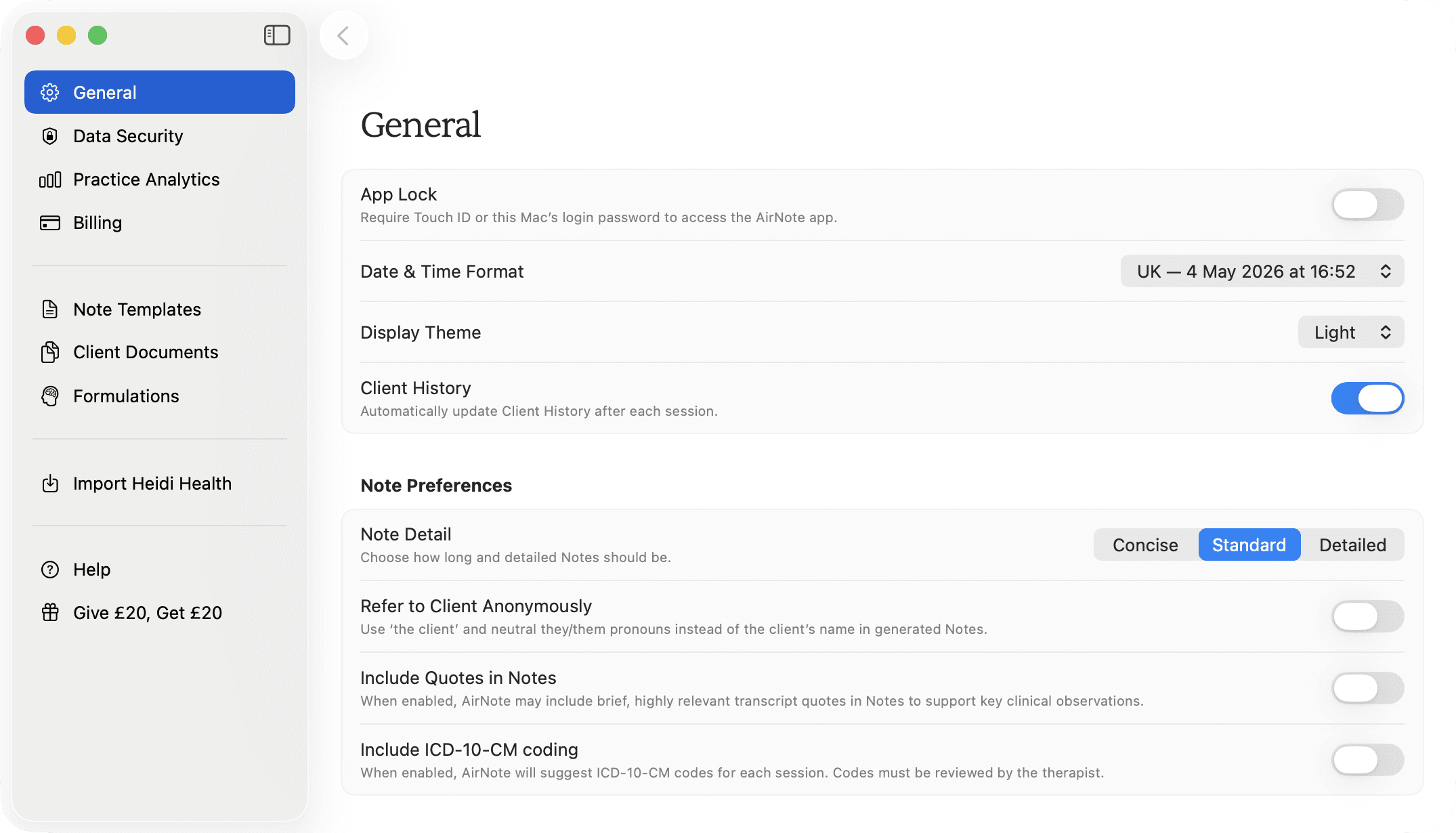
3. Turn on anonymous client references
Switch on Refer to Client Anonymously. Your choice saves automatically; you can close Settings.
While this is on, newly generated or regenerated therapy Notes use “the client” rather than the client’s name, with neutral pronouns by default. This preference applies across clients, not just to the session you have open.

You’re ready for future Notes. Notes you have already generated keep their existing wording unless you regenerate them.
Optional: update an existing Note
4. Open the Note and choose Regenerate
Close Settings and open the relevant completed session from the sidebar. Select its Note tab, such as General Note, then click the circular-arrow button at the top-right of the Note.
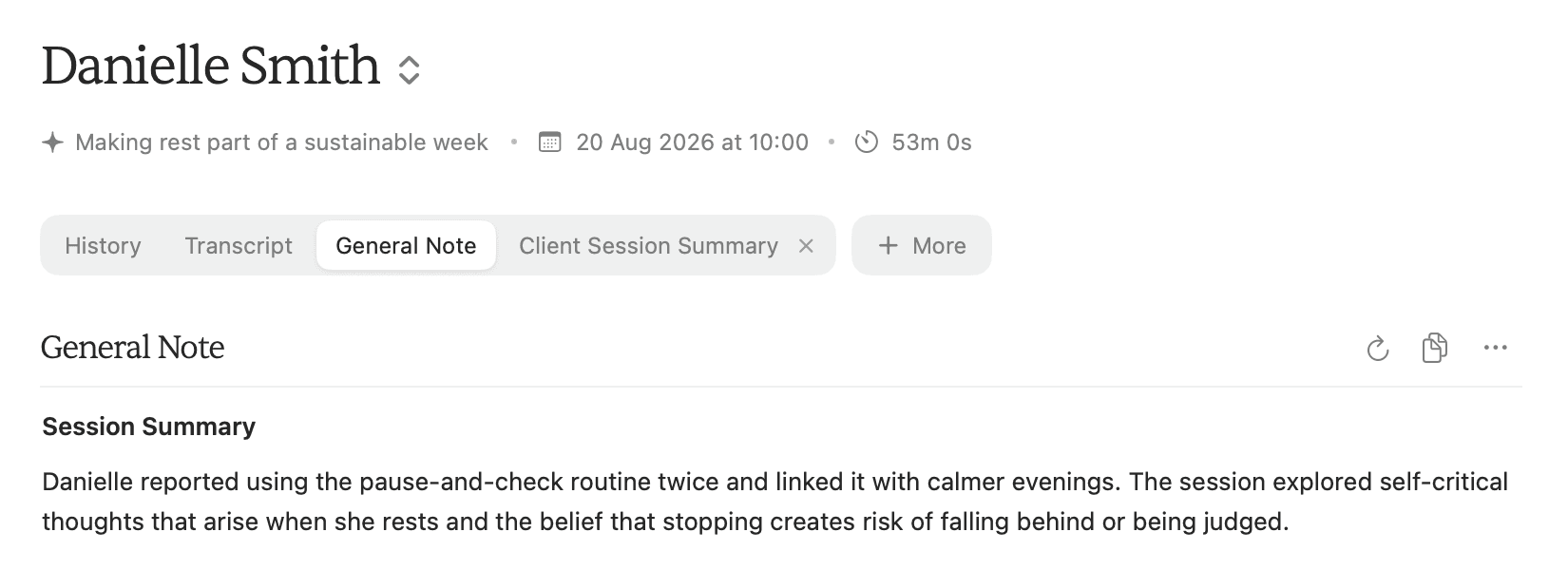
The existing Note still contains the client’s name: turning on the preference does not change it automatically.
5. Confirm the replacement
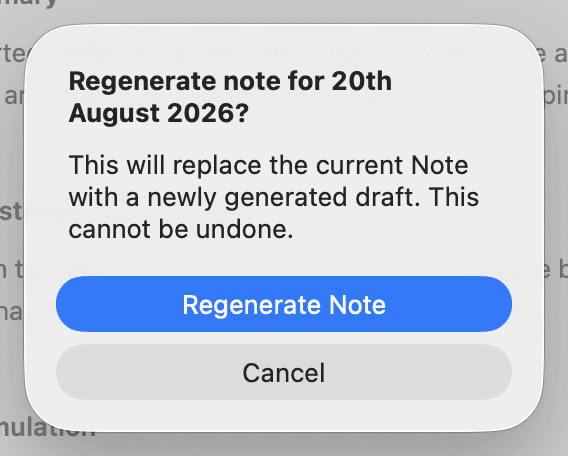
Regenerating replaces the current Note and cannot be undone. Copy any wording or edits you want to keep before continuing.
When you’re ready, choose Regenerate Note in the confirmation window. Review the new draft before using or sharing it.
Before you share
Client names remain visible in the library and session header. This switch does not anonymise transcripts, Client History, Additional Context or other documents.
Other identifying details may still appear in a Note. Review the text and any export before sharing it.
This preference does not apply to Clinical Supervision Notes.
To return to named client references, switch Refer to Client Anonymously off. That change also applies only when Notes are generated or regenerated.
All people and session content shown in these screenshots are fictitious.