Generate an IFS formulation
Generate an Internal Family Systems formulation from the client’s Notes and context, then review and edit the draft in AirNote.
2 mins read
An Internal Family Systems (IFS) formulation is a working summary that organises a client’s difficulties, patterns and strengths through an IFS lens. It may describe parts, their protective roles, vulnerable feelings and the client’s capacity for calm, curiosity and compassion. AirNote prepares a draft for the therapist to review and refine.
1. Open a completed session
Select the client and a completed session in the sidebar. Check that its relevant Note is available and accurate.
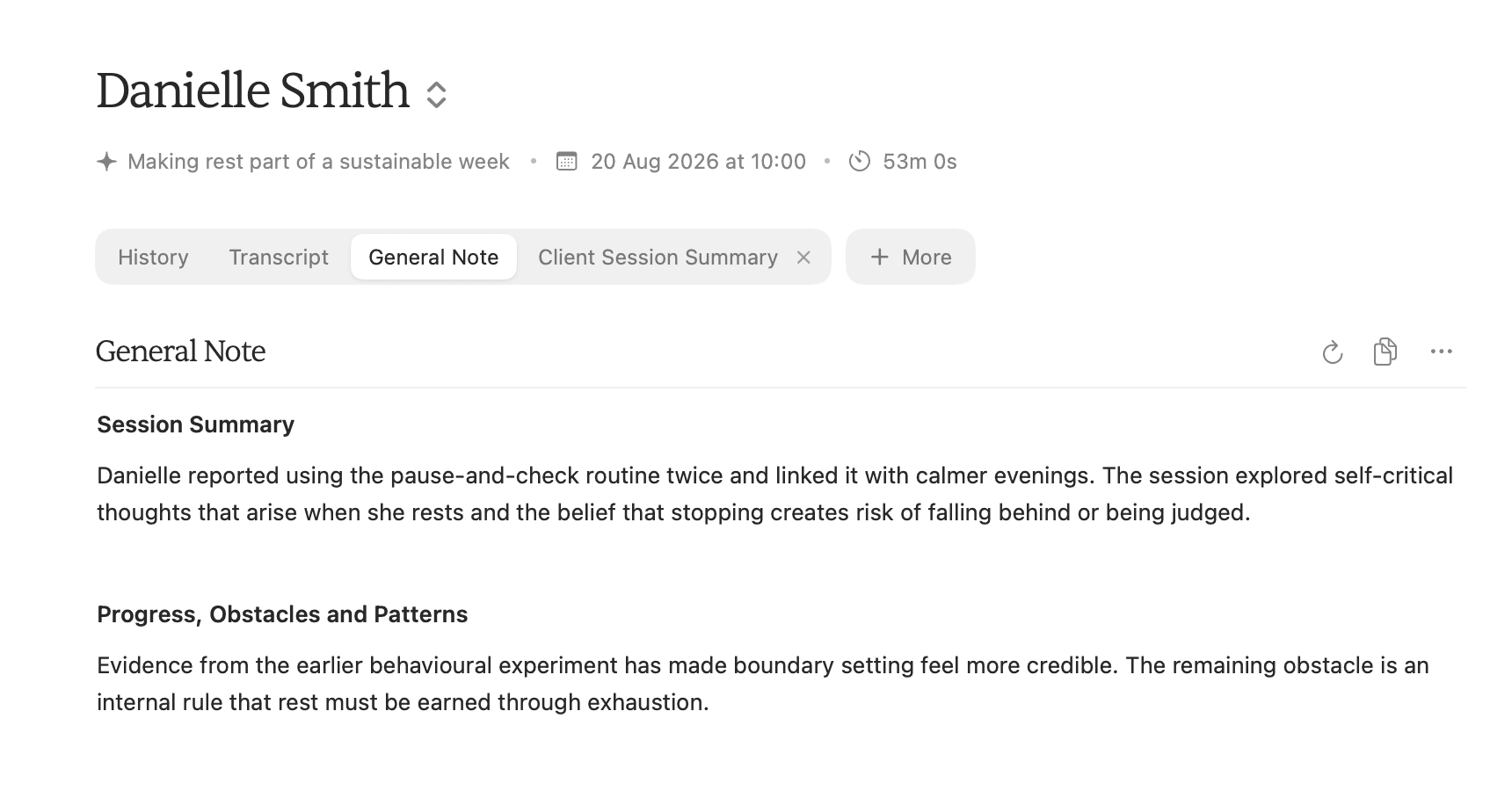
AirNote uses the current session’s Note as its main source. It may also use relevant Notes from earlier sessions, Client History, Additional Context, the IFS template and basic session details.
A formulation needs usable Note content. A Transcript on its own is not enough.
2. Choose the IFS formulation
Click More, move to Formulations, then click IFS Formulation.
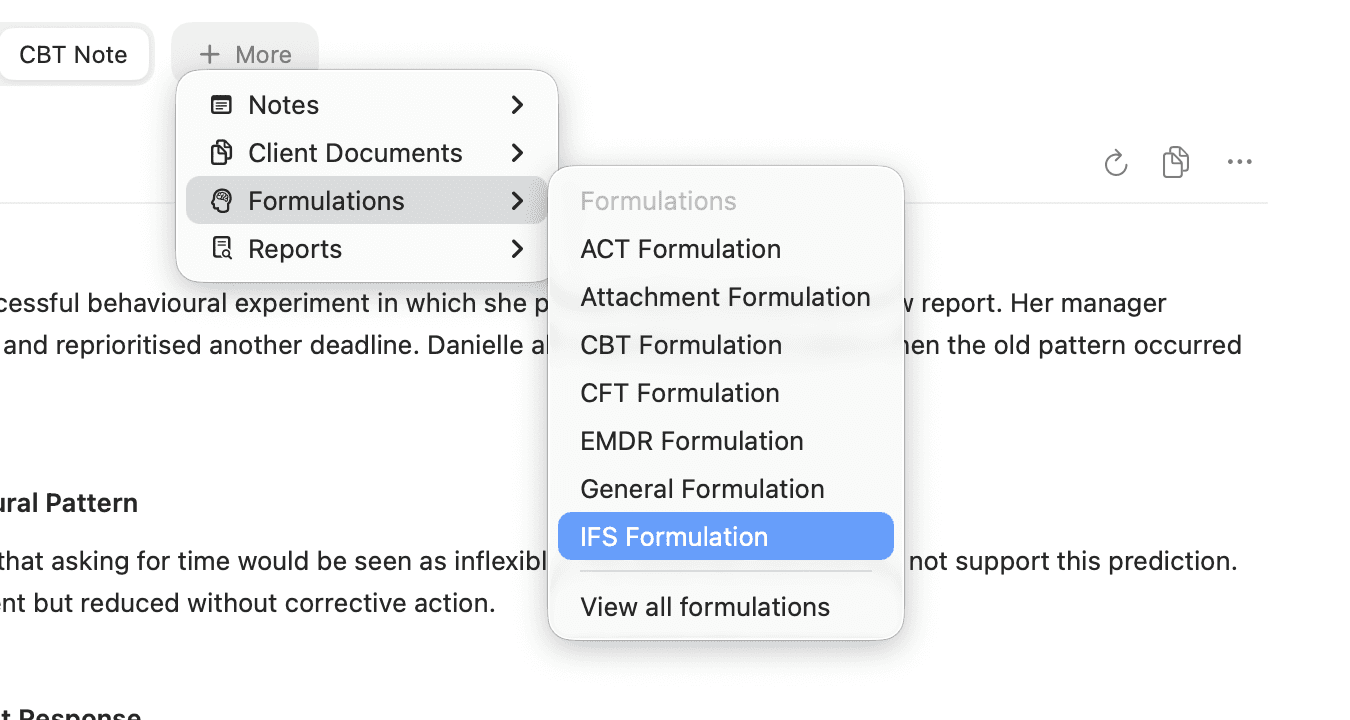
The IFS template organises supported information around parts, protective intentions, vulnerable or burdened parts, internal conflicts, strengths and Self-led capacities. AirNote keeps the wording cautious when the available Notes do not support a firm conclusion.
3. Review and edit the draft
AirNote adds an IFS Formulation tab to the session. When generation finishes, read each section and edit the wording directly in the document. Your changes save automatically.
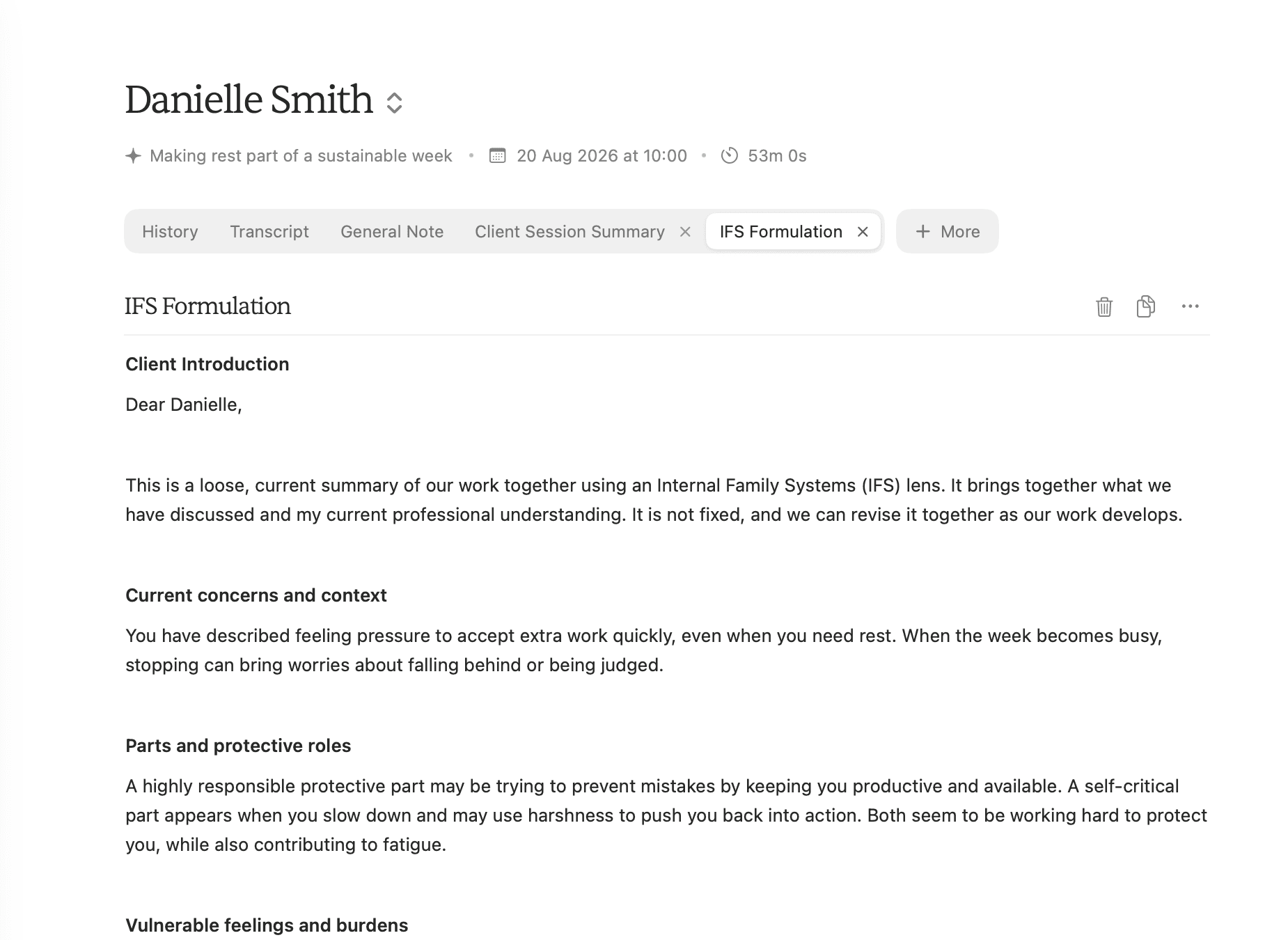
If an IFS formulation already exists for the session, choosing IFS Formulation opens that document instead of creating another one.
Treat the formulation as a working draft. Check it against your professional understanding and the source information before using or sharing it. Review any therapist-facing notes separately when preparing a client copy.
All people and session content shown in these screenshots are fictitious.