Generate a formulation
Choose a formulation template and create a draft from the client’s available Notes and context.
2 mins read
Create a formulation draft using a template that suits your approach. AirNote draws on available session Notes, Client History and Additional Context to prepare the draft for you to review.
1. Open a completed session
Select the client and a completed session in the sidebar. Check that the relevant Notes are available and accurate before generating a formulation.
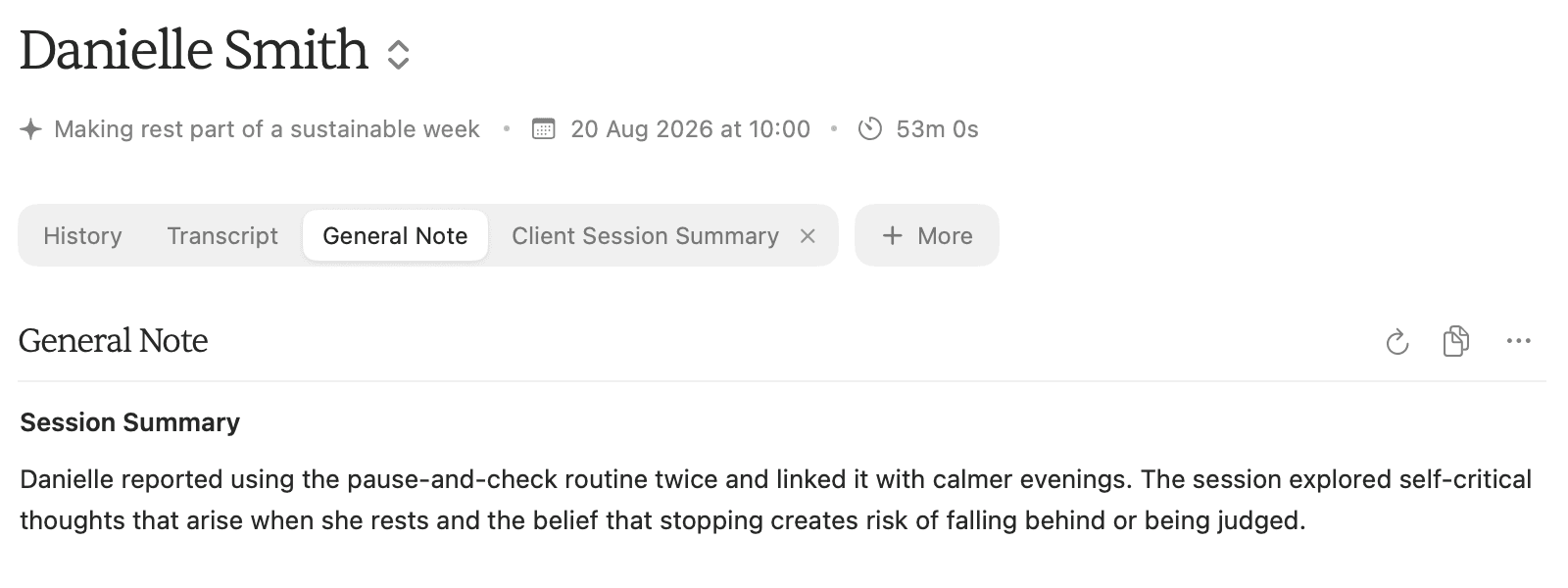
A formulation needs usable Note content. An empty session or Transcript alone is not enough.
2. Open the Formulations menu
Click More beside the session tabs, then move to Formulations.
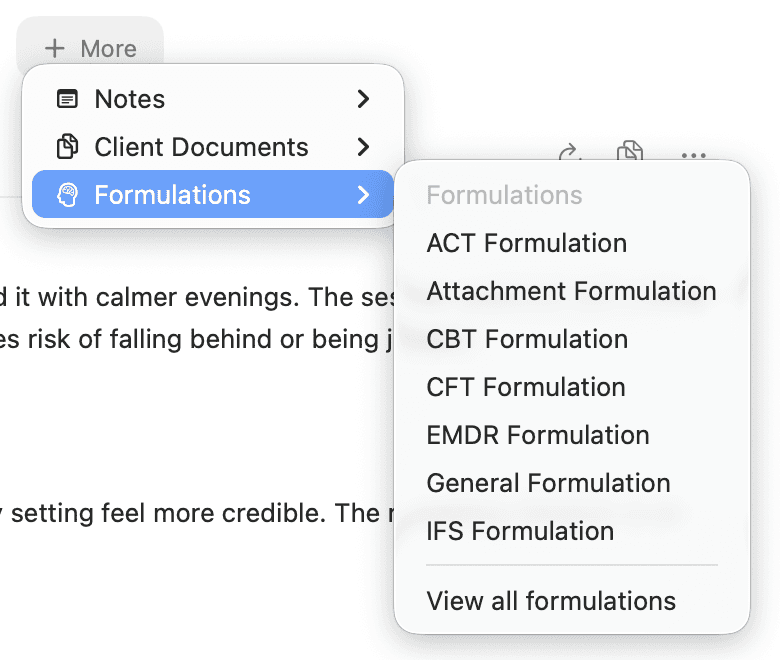
The menu includes ACT Formulation, CBT Formulation, General Formulation and more. Choose View all formulations to browse the full formulation library.
3. Choose a template and review the draft
Click the formulation you want to create. This example selects CBT Formulation.
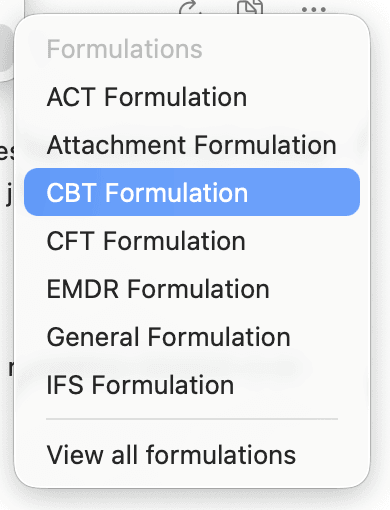
AirNote adds the formulation as a session tab. Wait for generation to finish, then read the draft and edit its wording directly in the document. Changes save automatically. If that formulation already exists for the session, selecting it opens the existing document.
Review the formulation against the information available about the client before using or sharing it. Check any therapist-facing notes separately when preparing a client copy.
All people and session content shown in these screenshots are fictitious.