Draft a Client Ending letter
Create a warm client-facing ending letter from the client’s Notes, then review, edit and prepare the draft to share.
2 mins read
A Client Ending Letter is a client-facing draft for the end of therapy, a defined block of work or a planned transition. It can acknowledge the work completed, reflect key themes and progress, and support continuity beyond therapy. AirNote prepares the letter for the therapist to review and refine.
1. Open a completed session
Select the client and a completed session in the sidebar, then open the relevant Note.
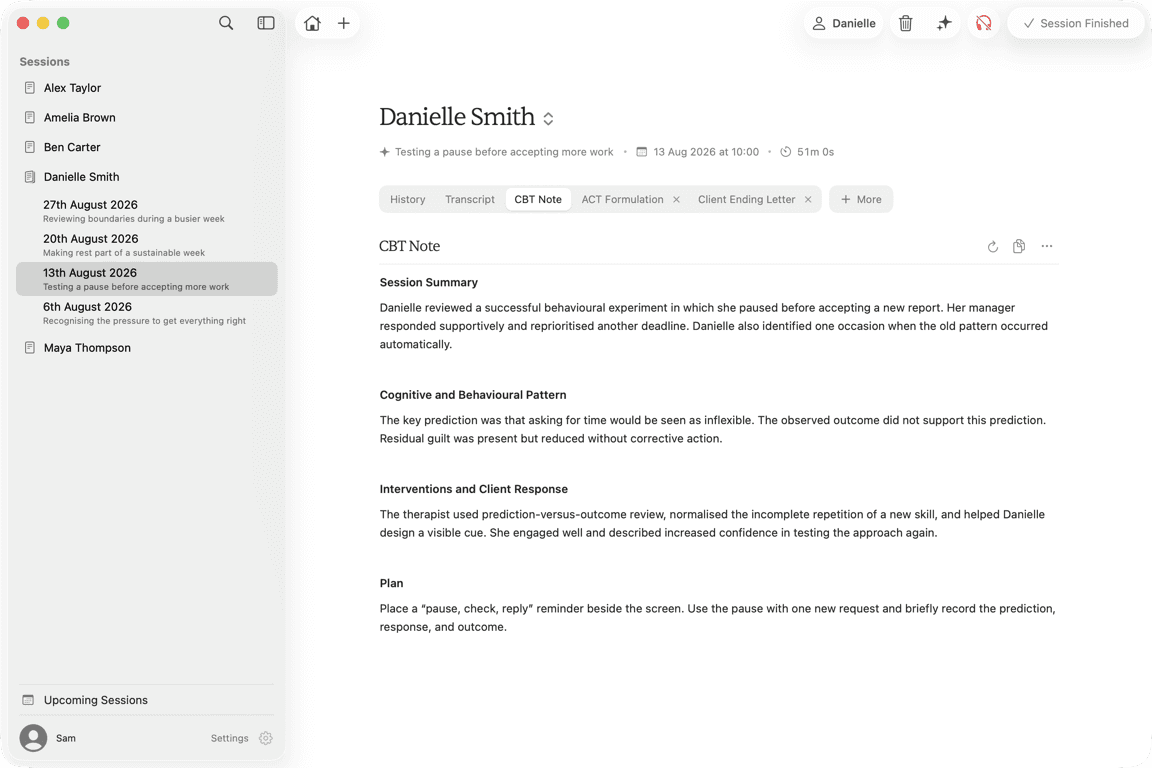
AirNote uses the client’s available session Notes and basic session details. This can include the selected session’s Note and relevant earlier Notes, together with Client History, Additional Context and the Client Ending Letter template.
A Client Ending Letter needs usable Note content. A Transcript on its own is not enough.
2. Choose Client Ending Letter
Click More, move to Client Documents, then click Client Ending Letter.
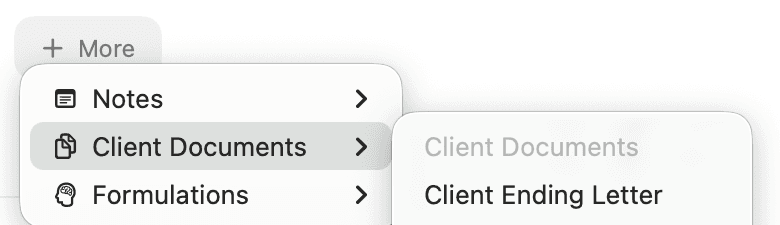
AirNote adds a Client Ending Letter tab to the session. Wait for the draft to finish generating. If a Client Ending Letter already exists for this session, choosing it opens that document instead.
3. Review and edit the draft
Read the letter and check that it accurately reflects the work, progress and strengths you want to acknowledge. Confirm that any future focus or continuing supports are appropriate and that the tone suits the client.
Click in the document to make changes. Your edits save automatically.
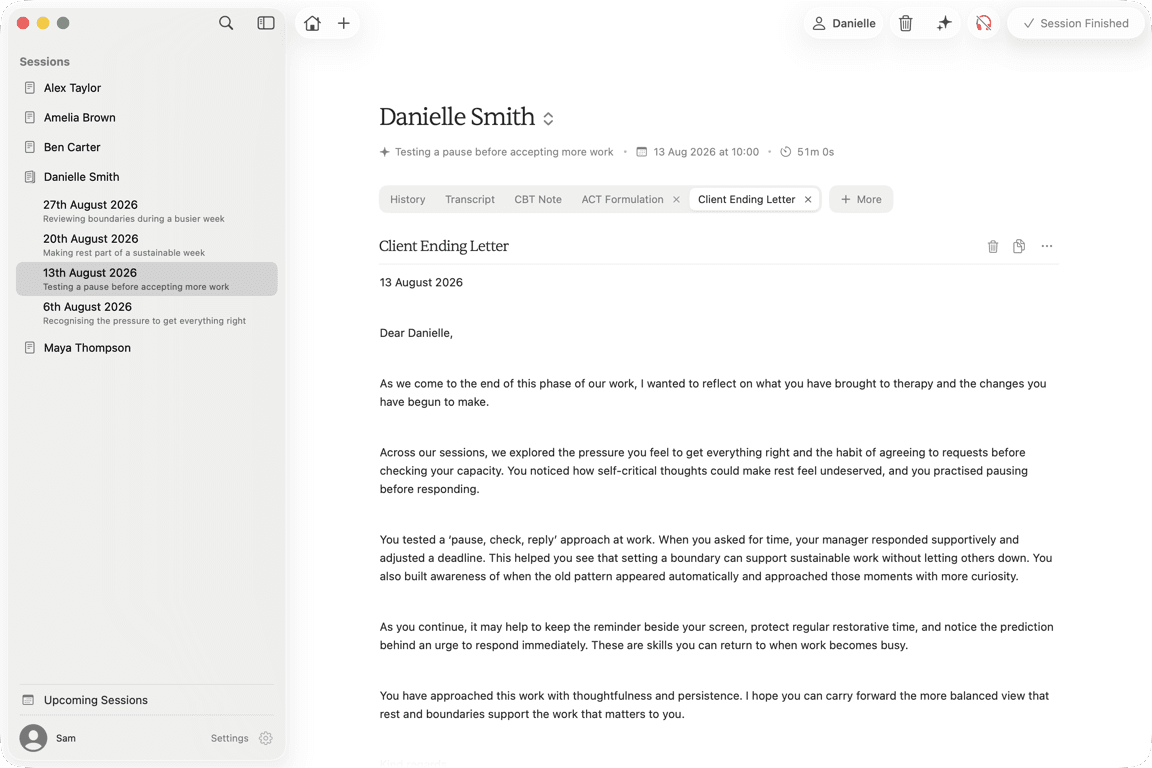
Treat the letter as a working draft. Confirm the ending context, clinical accuracy, professional boundaries and client-facing wording before sharing it.
4. Prepare the letter to share
Use Copy above the document to copy the reviewed text. To save a file, open the three-dot Actions menu and choose Export as PDF or Export as .doc.
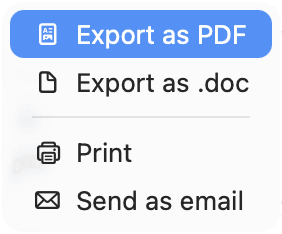
Generating the letter does not send it to the client. Review the content and recipient before sharing it.
All people and session content shown in these screenshots are fictitious.