Disable specialist terminology
Turn off AirNote’s specialist terminology recognition for new recordings in General settings.
1 min read
Specialist terminology means the medical and therapeutic words you use in practice, such as the names of therapy approaches, conditions or medications. AirNote’s Improve specialist terminology feature helps recognise these terms when transcribing session audio on your Mac.
The feature is on by default. If you prefer to turn it off, you can do so in General settings.
1. Open Settings
Click your name at the bottom left of AirNote to open Settings.

2. Choose General
Select General in the Settings sidebar. Find Improve specialist terminology under Transcription.
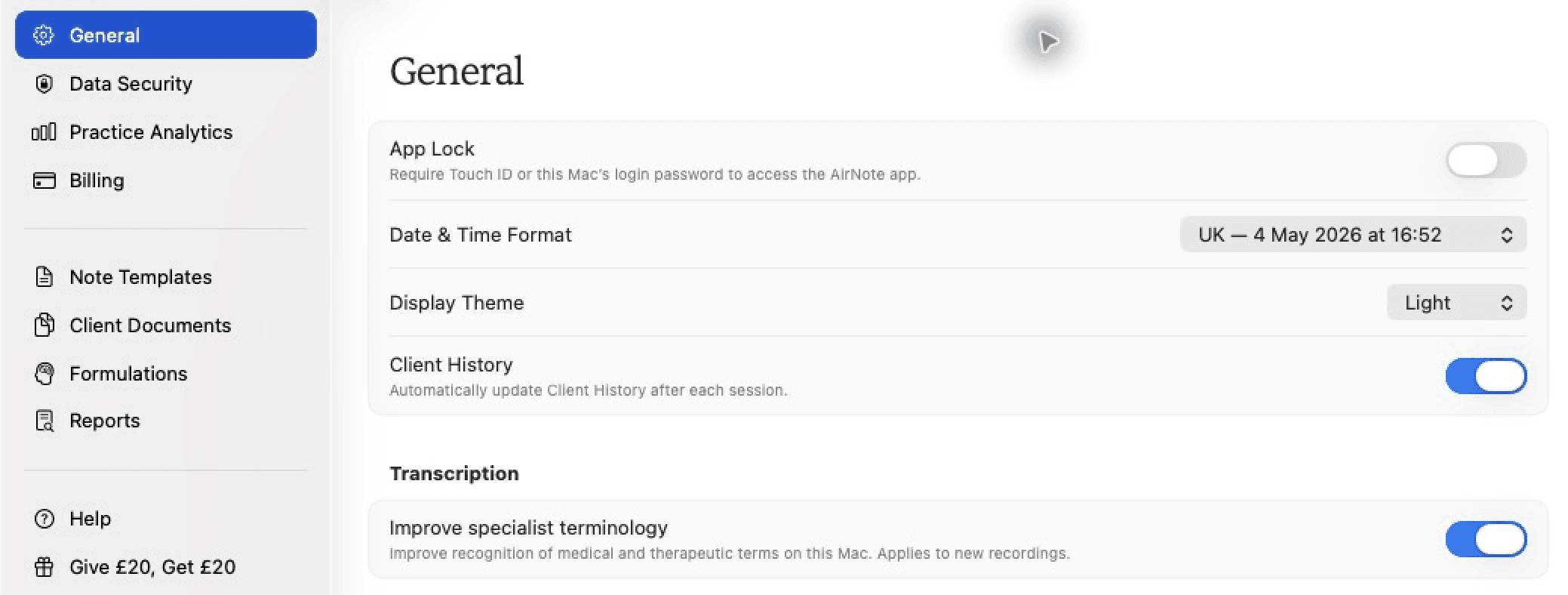
3. Turn off specialist terminology
Click the switch beside Improve specialist terminology so it is off.

Your choice saves automatically and applies to new recordings. Existing transcripts and Notes stay as they are. You can turn the feature back on here at any time.
All people and session content shown in these screenshots are fictitious.