Automatically generate ICD-10 codes for client sessions
Enable draft ICD-10-CM suggestions alongside therapy Notes, ready for your review.
2 mins read
AirNote can suggest ICD-10-CM codes when it generates therapy Notes. Turn on the coding preference to have supported suggestions prepared alongside your session records, ready for you to review.
1. Open Settings
Click the Settings cog beside your profile at the bottom of the sidebar.

2. Find Note Preferences
Select General, then find the Note Preferences section.
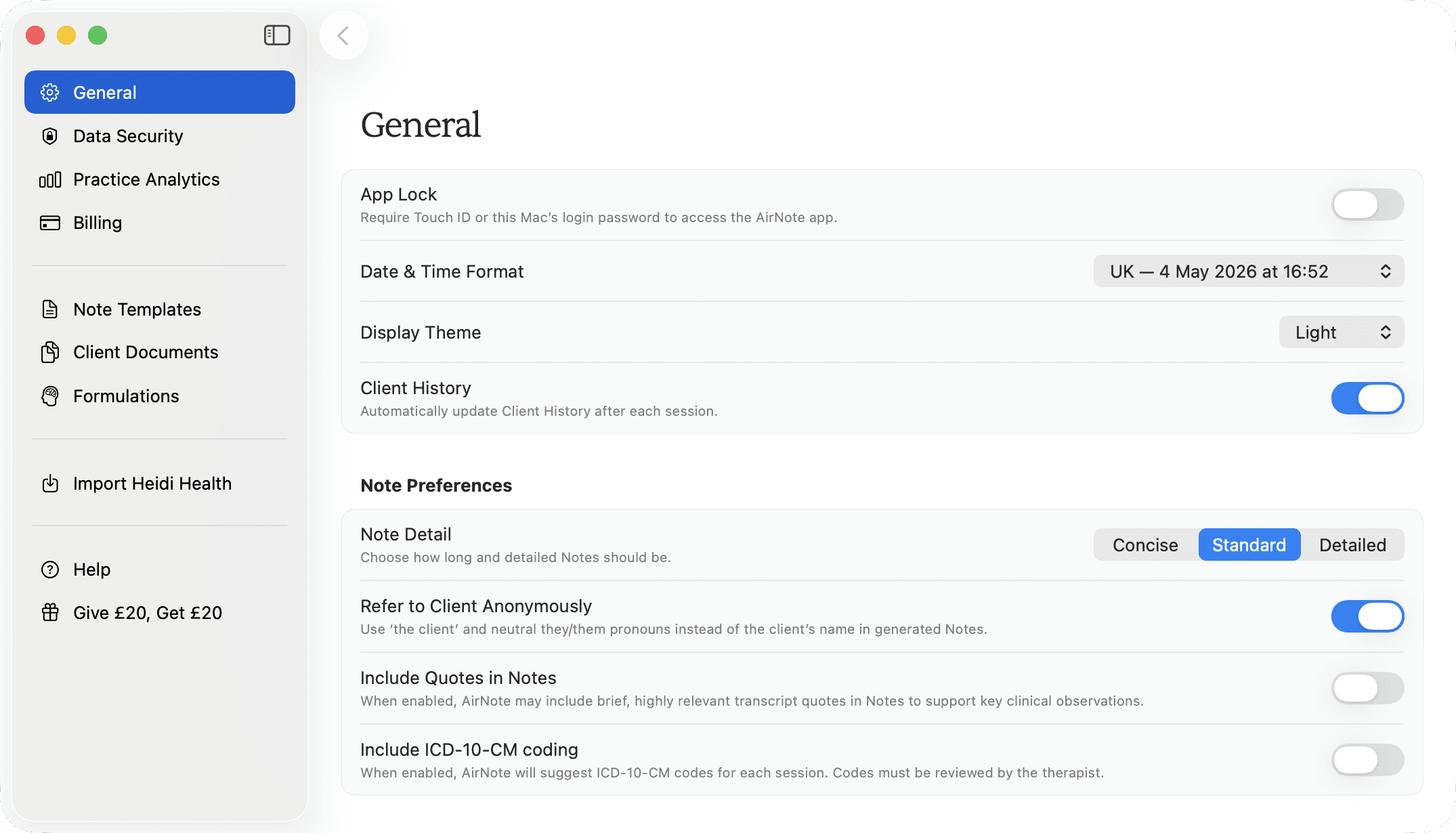
3. Enable ICD-10-CM coding
Turn on Include ICD-10-CM coding. The preference is saved immediately and applies when AirNote next generates or regenerates a therapy Note.
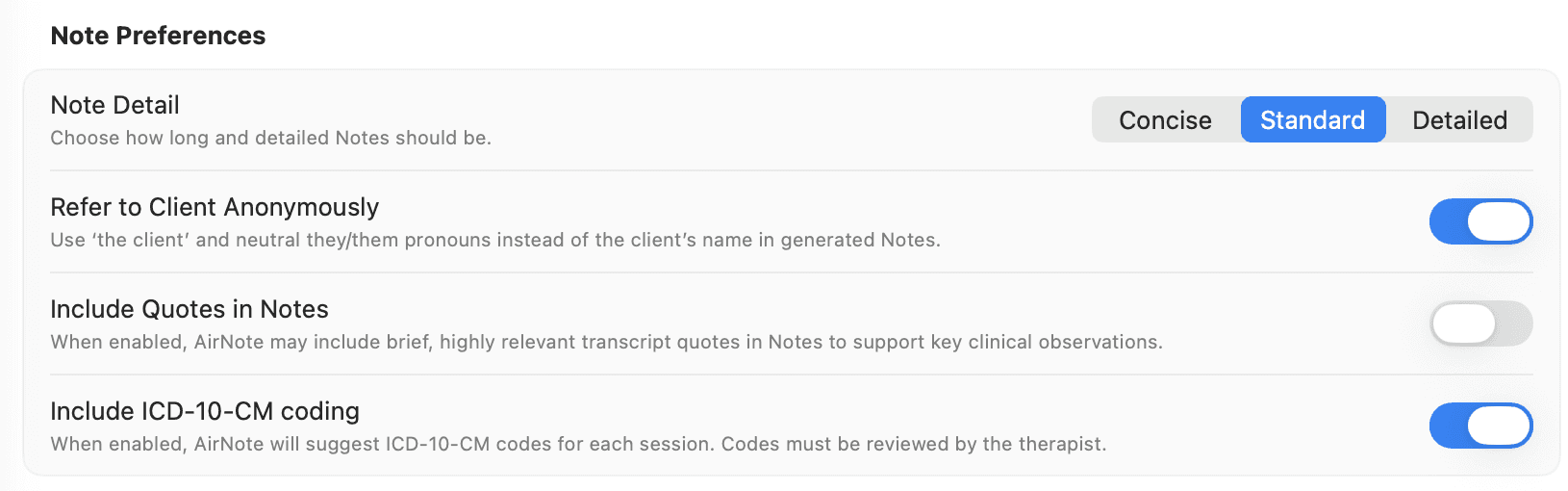
You can now close Settings and continue with your session. When AirNote can provide a supported suggestion, it appears in a separate ICD-10 Coding document for that session.
Suggestions are drafts and must be reviewed by the therapist. AirNote may be unable to provide a supported code for a Note. This preference does not add ICD-10-CM coding to clinical supervision Notes.
Turning the preference on does not change existing Notes. If you want to request coding for an existing therapy Note, follow the optional steps below.
4. Open an existing Note (optional)
Select the client’s session in the sidebar and open its Note. In this example, Danielle’s CBT Note is open. Click the circular-arrow regenerate button beside the Note’s controls.
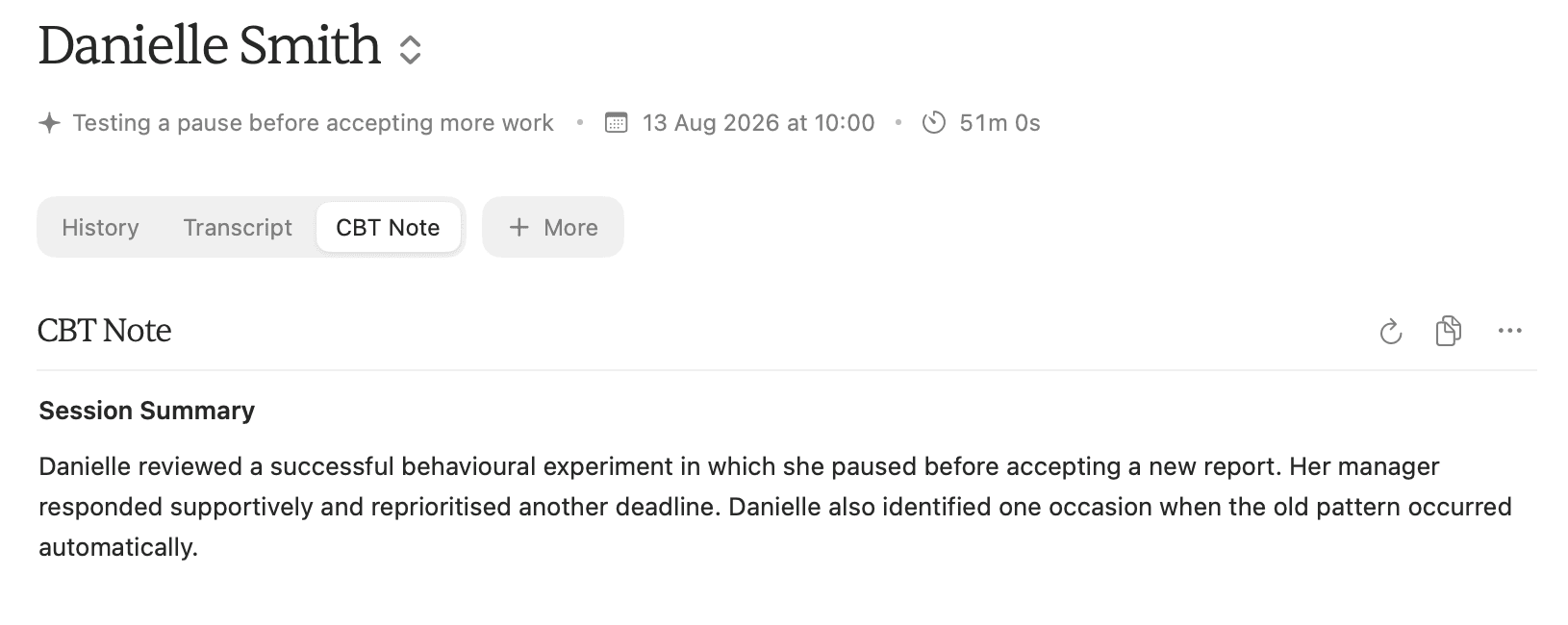
5. Confirm regeneration (optional)
Regeneration replaces the current Note with a new draft and cannot be undone. Keep a copy of anything you need from the current Note before continuing.
Read the confirmation, then click Regenerate Note if you want to replace the Note using your current preferences. Click Cancel to keep the current Note.
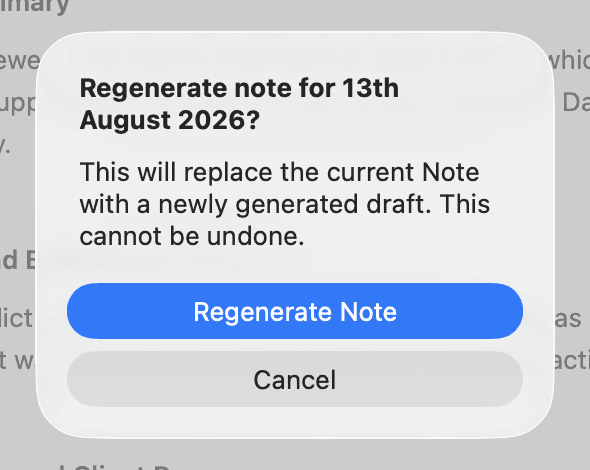
Review the regenerated Note and any ICD-10 Coding suggestion before using them in your records.
All people and session content shown in these screenshots are fictitious.