Add historical/additional client context
Add notes from sessions outside AirNote, client emails and other background to help AirNote understand the client’s wider context.
2 mins read
Add useful background to a client’s record—especially notes from previous sessions that weren’t recorded in AirNote. Additional Context helps AirNote consider that earlier work and other relevant information when generating therapy Notes, documents and formulations.
1. Open the Client Details page
Select a session for the client in the sidebar, then click the View Client button—the person icon in the main toolbar.

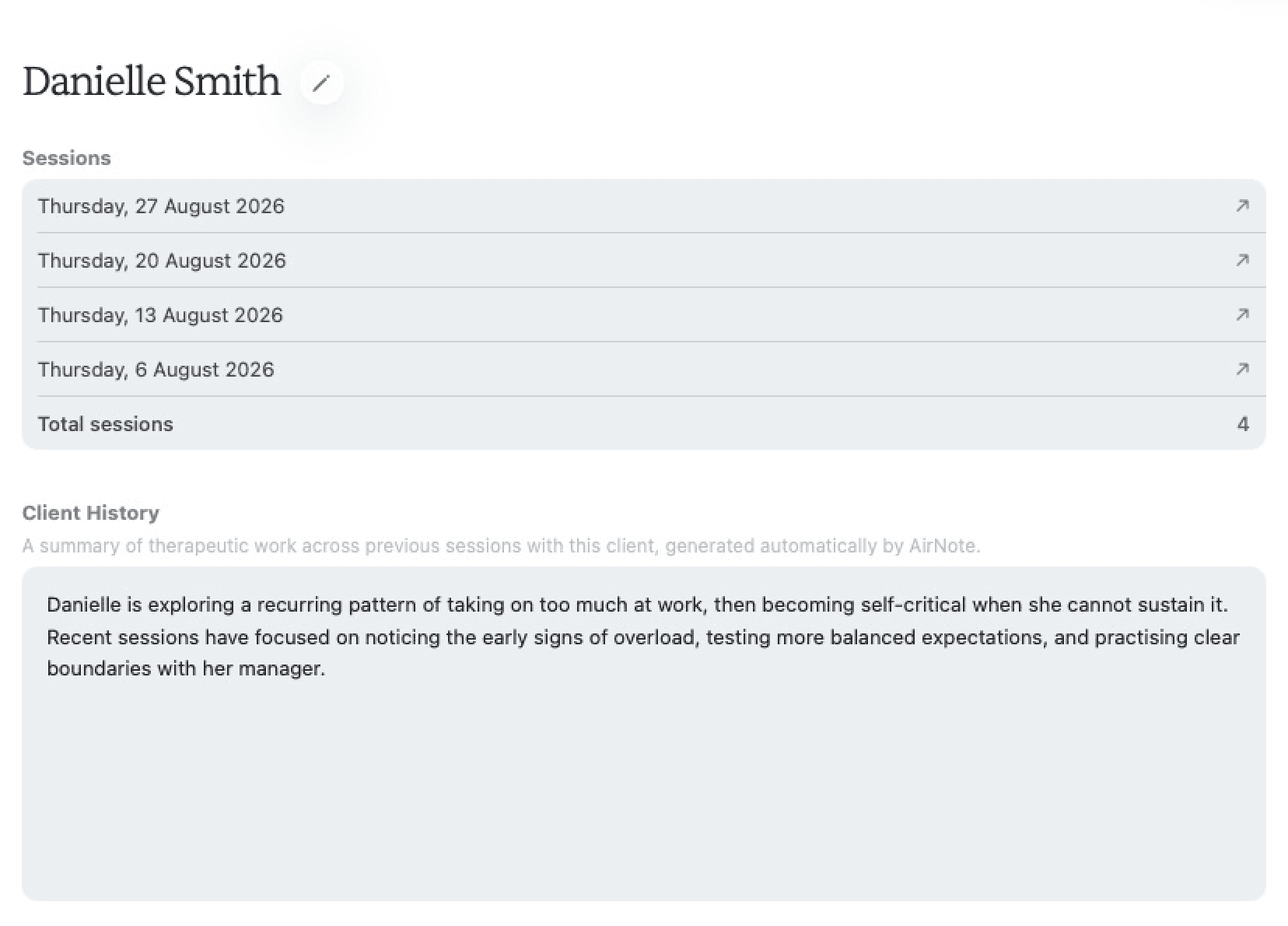
AirNote opens the Client Details page. The client’s name appears at the top.
2. Find Additional Context
Scroll down the Client Details page, past Sessions and Client History, to Additional Context.

Client History is AirNote’s automatically generated summary of previous sessions. Additional Context is the separate space for background information you add yourself.
3. Add your background information
Click inside the Additional Context text box and type or paste the information you want AirNote to consider.
Useful context might include:
Notes from previous sessions that weren’t recorded in AirNote.
Emails exchanged with the client.
Notes from another therapist.
Correspondence with a GP.
Keep any existing context that is still useful. Short subheadings, such as “Previous sessions” or “GP correspondence”, can help AirNote understand what each section relates to.
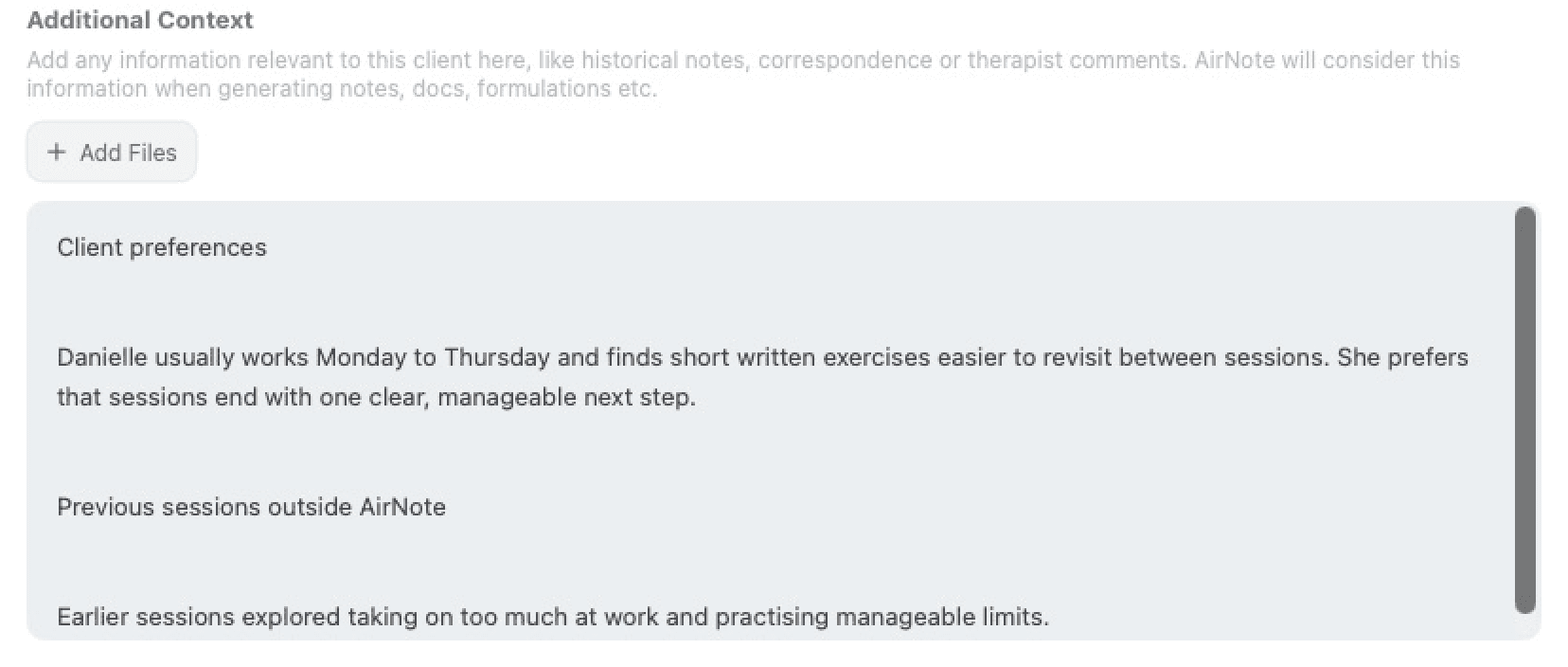
The field accepts up to 50,000 characters. If you go over the limit, shorten the text before saving.
4. Save your changes
Click Save Changes in the top-right toolbar. Your context is saved with this client and AirNote returns to your session. AirNote will consider the saved context when you next generate content for them.
Saving Additional Context does not change Notes or documents you have already generated.
To update it later, repeat these steps, edit the text and choose Save Changes again.
Keep the context useful
Keep the context relevant and up to date.
Review generated content before using or sharing it.
Additional Context is not included in Clinical Supervision Notes.
All people and session content shown in these screenshots are fictitious.